electronic workorder management simplifiedTM

Work Order Software Simplified!
Work Orders. Create work orders by service type with public or private notes. Attach before and after photos of the work performed to document a job well done, as well as for historical reference.
New Features
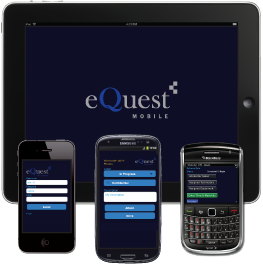
Mobile Apps Now Available!
For use with iPhones, Android, Blackberry Phones & Tablets and exclusively for eQuest clients
Manage your work orders on your iPhone, Android and Blackberry!
Request a Demo
Click here to request an online eQuest Demonstration. An eQuest representative will walk you through the features and benefits of the eQuest System.
eQuest Features Update
New Functions & Features
Mobile App (Version 2.0)
- New improved look and feel of user interface
- New ability to continue inspection without a constant Internet connection
- New summary of inspection results prior to final submission
- New support of property specific custom inspection forms on mobile app
- New support of APPA QA inspection scoring format
- New support of weighted QA inspection scoring
- New ability to attach existing photos from device library
- New "Threshold" benchmark scoring feature
- New "Follow-up scoring" feature
- New color coded referencing of inspection location status
- New ability to view PDF, Word or Excel files via mobile App
- New app now hides inspection side of app from technicians or those who don’t perform inspections
- New fingertip signature of inspector and customer captured directly on device
- New time entered verification prior to submission
The NEW eQuest Mobile App is now available for the following devices:
- Android smart phones and tablets – Available now! Search for "eQuest" on the Google play store app on your Android device
- iPhone, iPad and iPad mini – Available Now! from your mobile device, search for "eQuestmobile" on the App Store.
- BlackBerry – In final testing, Release date to be announced soon
Web Updates
- New Service Items – Now you can add regularly performed service tasks as Service Items under the Site Management tab and apply those tasks to a property where they are regularly performed with pricing specific to that task and property.
- New Quick-Order – Now you can create a new workorder without the need to create a new Customer and Property – This is especially helpful in saving time for small or one-time jobs. Simply click the new "Quick Order" flag at the top of the workorder. Once this new customer and property is added, you will be able to use the Quick Order feature. You must add a new customer and Property to activate the new Quick Order Feature.
Customer Name: Quick Order
Property Name: Quick Order
The customer and Property name must be spelled exactly as shown above and must have an upper case Q for Quick and O for Order. - Billing information is in now displayed at the Job Card (viewable with proper user permissions)
- New “On-Hold” status
- New reminders now apply to workorders in the status “Bidding”
Please note our new Toll Free number: (800) 430-9890